DocsExplore your SETOscillators
Oscillators
How the selected sound is built: its oscillators (layers), their key and velocity ranges, octave, transpose and tune, and which multisample each one plays.
In this chapter you will learn
- What an oscillator is
- How to read the HIGH and LOW boxes
- How to mute an oscillator to hear one layer alone
What is an oscillator?#
A KORG sound can stack several layers that play together — for example a soft accordion and a hard accordion, or a piano plus strings. Each layer is an oscillator. Every oscillator plays a multisample (a set of samples spread over the keyboard) and has its own range, octave, transpose and tune.
Select a sound in the Sound Library first, then click Oscillators in the sidebar.
Reading an oscillator card#
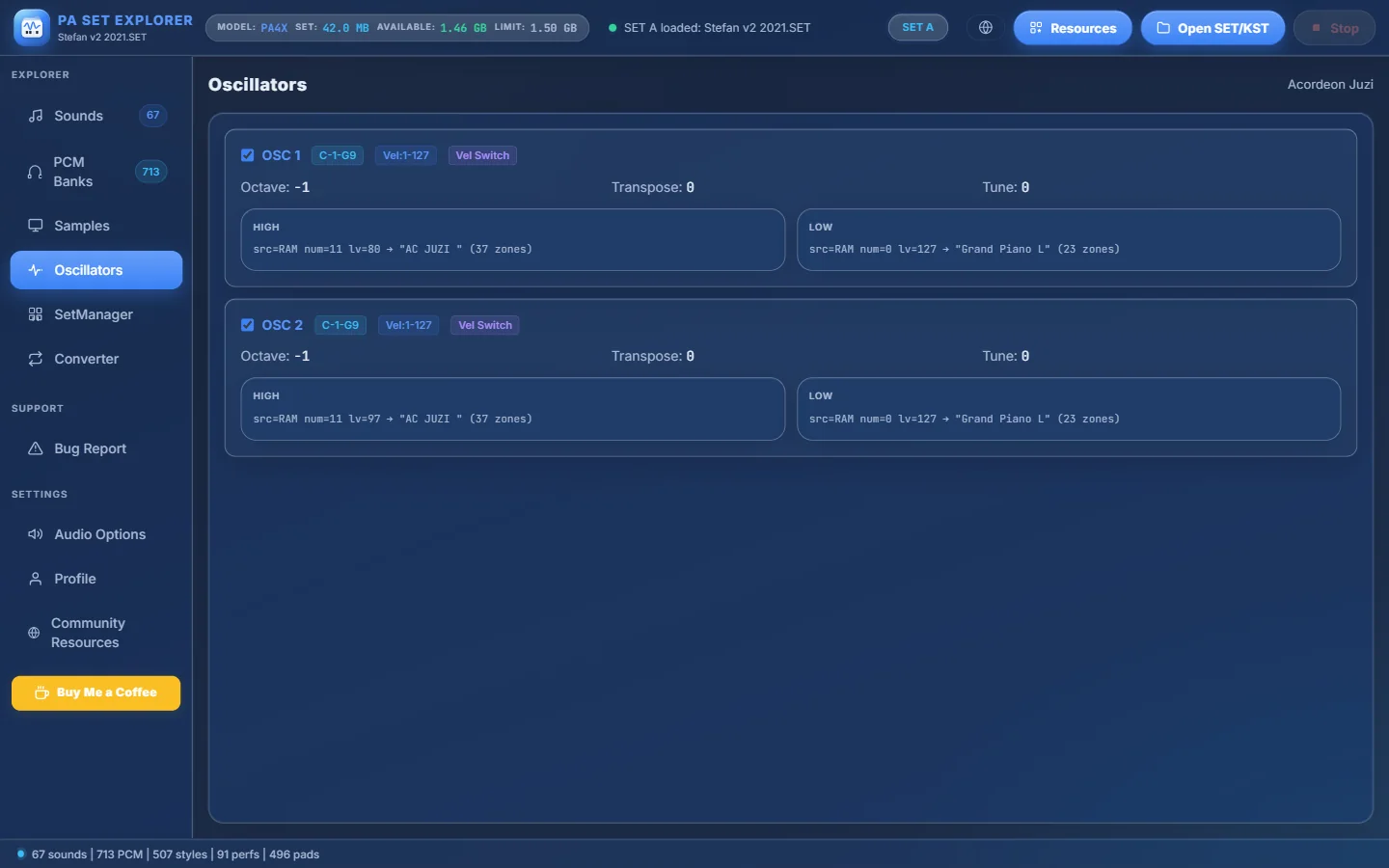
- 1The sound you selected in the Sound Library.
- 2OSC n with a tick box. Untick it to mute this oscillator when you play the sound.
- 3Key range (e.g. C-1 – G9), velocity range (Vel:1-127) and Vel Switch when the oscillator changes sample with velocity.
- 4Octave, Transpose and Tune of the oscillator.
- 5HIGH — what plays on hard key strikes: source (RAM or ROM), multisample number, level, and the multisample name with its number of zones.
- 6LOW — what plays on soft key strikes.
| Text | Meaning |
|---|---|
| src=RAM | The multisample is stored in the SET (portable). |
| src=ROM | The multisample is one of the keyboard’s factory multisamples. |
| num=N | The multisample number. |
| lv=N | The level (volume) of that layer, 0–127. |
| → "Name" (N zones) | The multisample name and how many key zones it has. |
| → ROM: "Name" | The factory multisample used. |
Pro tips
- Untick every oscillator except one and play the on-screen keyboard to hear that layer alone. The ticks reset when you select another sound — nothing is saved.
- If a sound has HIGH and LOW layers with Vel Switch, play the keys softly and then hard to hear the change.
- Drum kits have no oscillators: the section says “No oscillators in this sound”. Use Details in the Sound Library instead.
Still stuck? Ask in the forum, send a message from your profile, or use Bug Report inside the program. We read everything.