Getting started
What PA SET Explorer is, what it can do for you, which keyboards and files it understands, and a guided tour of the main window.
- What the program does — in one minute
- Which KORG, Medeli, Yamaha and Ketron files it works with
- What happens the first time you open it
- The name and job of every part of the window
- What Basic and Premium mean
What is PA SET Explorer?#
PA SET Explorer is a Windows program that lets you open, explore, combine and convert the SETs of KORG Pa arranger keyboards — and of the Medeli AKX / Zen expansions — on your computer, without the keyboard.
A KORG SET is the folder your keyboard saves to a USB stick: it holds your styles, sounds, samples, pads and performances. Normally you can only see what is inside on the keyboard itself, one screen at a time. PA SET Explorer shows you everything at once, lets you listen to it on your PC, and lets you move things between SETs with your mouse.
Think of it as a file manager made for musicians: you open your SET, you see every style and every sound, you drag what you want from another SET, you press Save and you copy the SET back to the keyboard.
What you can do with it#
Supported keyboards and files#
PA SET Explorer works with the whole KORG Pa family that uses SET folders, plus the PA5X with its new KST format. When you open a SET it asks which keyboard it is for, because each model has a different amount of sample memory:
| Keyboard | What you open | Sample memory | Compression | Styles per bank |
|---|---|---|---|---|
| KORG PA300 | a .SET folder | 32 MB | No | 40 (5 pages × 8) |
| KORG PA600 | a .SET folder | 96 MB | No | 40 (5 pages × 8) |
| KORG PA900 | a .SET folder | 192 MB | No | 40 (5 pages × 8) |
| KORG PA3X | a .SET folder | 128 MB | Yes | 40 (5 pages × 8) |
| KORG PA700 | a .SET folder | 128 MB | Yes | 48 (6 pages × 8) |
| KORG PA1000 | a .SET folder | 600 MB | Yes | 48 (6 pages × 8) |
| KORG PA4X | a .SET folder | 1.5 GB | Yes | 48 (6 pages × 8) |
| KORG PA5X | a .KST folder | 2.5 GB | Yes | folders of .stg styles (10 per page) |
| Medeli AKX / Zen | an AKX set folder (with a .GSTarget file) | 256 MB or 768 MB | — | packs of styles |
File types you will meet#
| File | What it is | Where you use it |
|---|---|---|
| .SET folder | A complete KORG SET (PA300 – PA4X) | Open SET/KST, SetManager |
| .KST folder | A complete KORG PA5X SET | Open SET/KST, SetManager |
| .STY | A KORG style bank (many styles in one file) | SetManager, Converter, Style Player |
| .stg | One KORG PA5X style | SetManager, Converter, Style Player |
| .PCG · .PCM · RAM.KMP | KORG sounds · samples · multisamples (inside a SET) | Sound Library, PCM Banks |
| .sty (Yamaha) | A Yamaha style (SFF) | Converter, Import Style, Style Player |
| .sty (Medeli) | A Medeli AKX style | Converter, AKX sets, Style Player |
| .kst (Ketron) | A Ketron / Audya style | Converter, Import Style, Style Player |
| .mid | A MIDI file with style section markers | Converter, Import Style |
| .sf2 | SoundFont: samples + key zones | Import Sampler / DrumKit, Export |
| .voi · .kit | Medeli voice · Medeli drum kit | AKX sets, Import, Export |
| .uvn · .uvd | Yamaha voice · Yamaha drum kit | Import Sampler / DrumKit, AKX packs |
| .kmp + .ksf | KORG Triton / Kronos / Nautilus multisample | Import Sampler, AKX Samples packs |
The first time you open the program#
- 1Choose your language
The very first time, the program asks for the language of its menus. Pick one and press Continue. You can change it later with the globe button at the top.
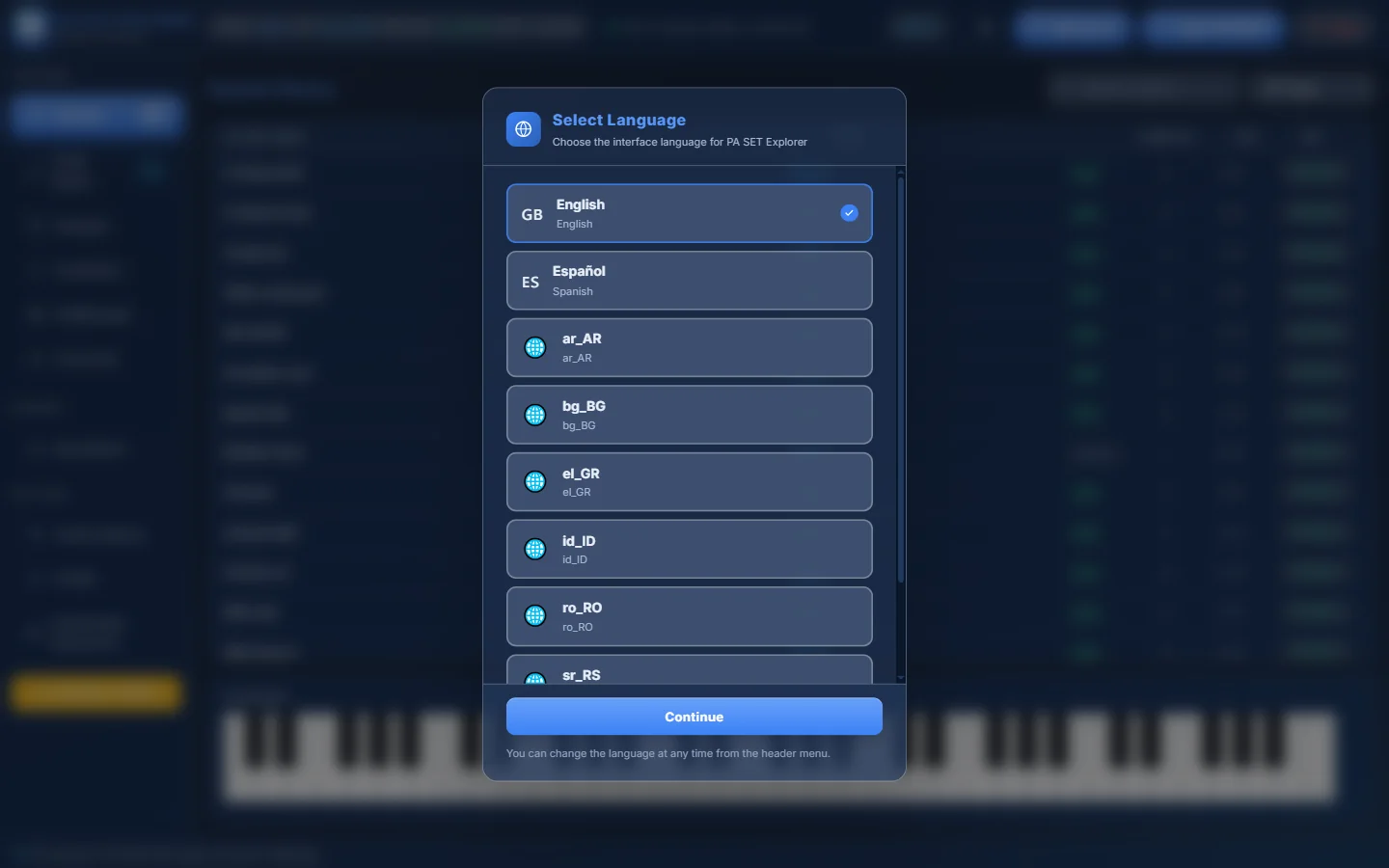
- 1The list of languages. English and Español are complete.
- 2Press Continue to confirm.
Select Language appears automatically on the first start. - 2Read the Beta notice
PA SET Explorer is in active development. A short notice reminds you to keep backup copies of your SETs. Press I understand.
- 3Activate your license (if asked)
If this computer has no license yet, enter your license key. You find it in your profile on the website. A trial license also works.
- 4Open a SET and choose the keyboard model
Press Open SET/KST and pick your SET folder (see Open SET/KST). When it has loaded, the program asks which keyboard the SET is for. Choose your model — this sets the memory bar and decides whether sample compression is offered. A PA5X KST is recognised automatically.
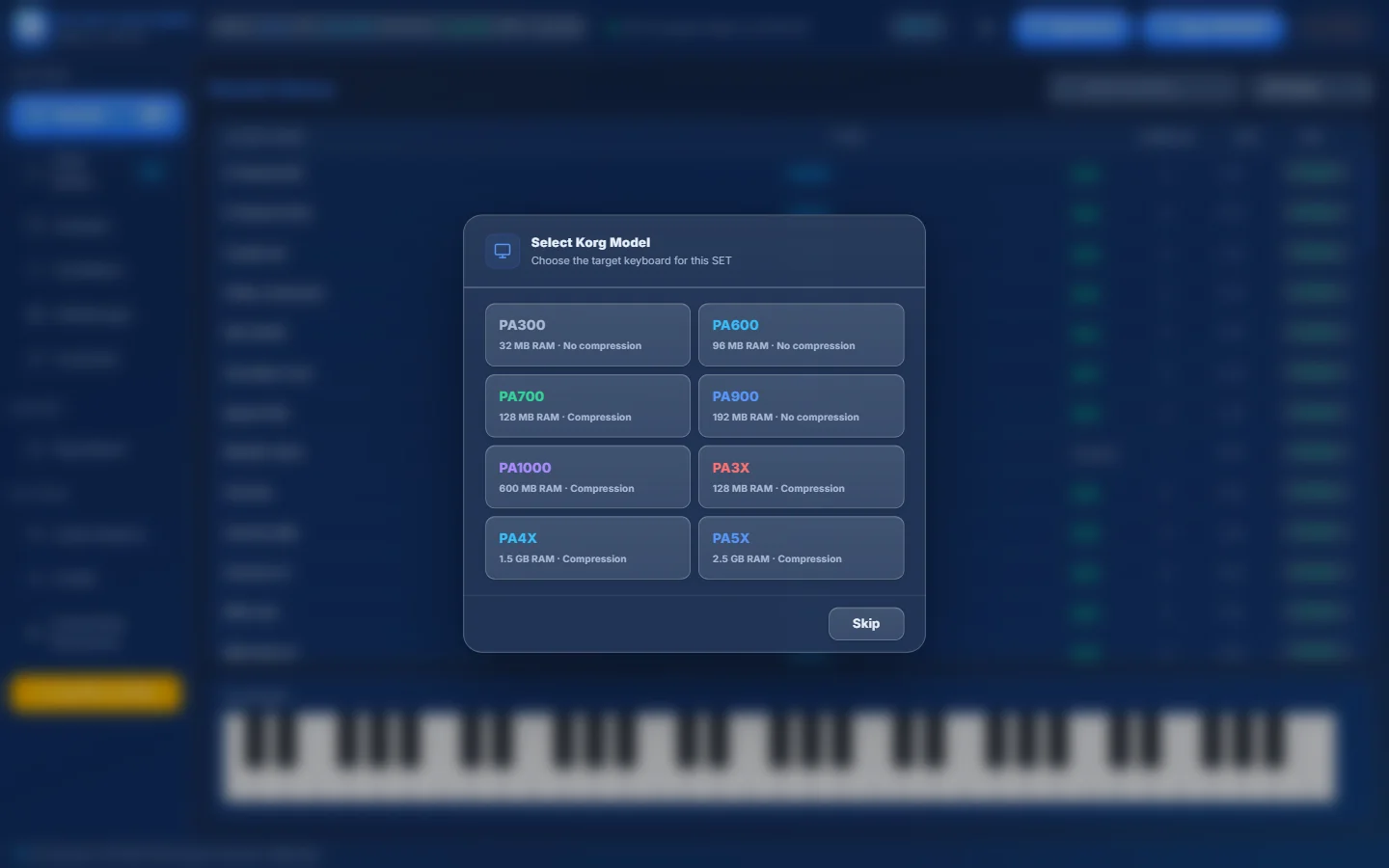
- 1Every supported model with its sample memory and whether it can compress samples.
- 2Click your keyboard, for example PA4X.
- 3Skip if you only want to look around — you can still explore the SET.
Select Korg Model — the choice is shown at the top of the window afterwards. Choose the keyboard the SET will be played on, not where it came from. A SET from a PA4X that you want to load on a PA1000 should be opened as PA1000, so the memory bar warns you if it is too big.
A tour of the main window#
This is the program with a real PA4X SET (“Stefan v2 2021”) loaded. Learn these 12 parts once and you will find your way everywhere:
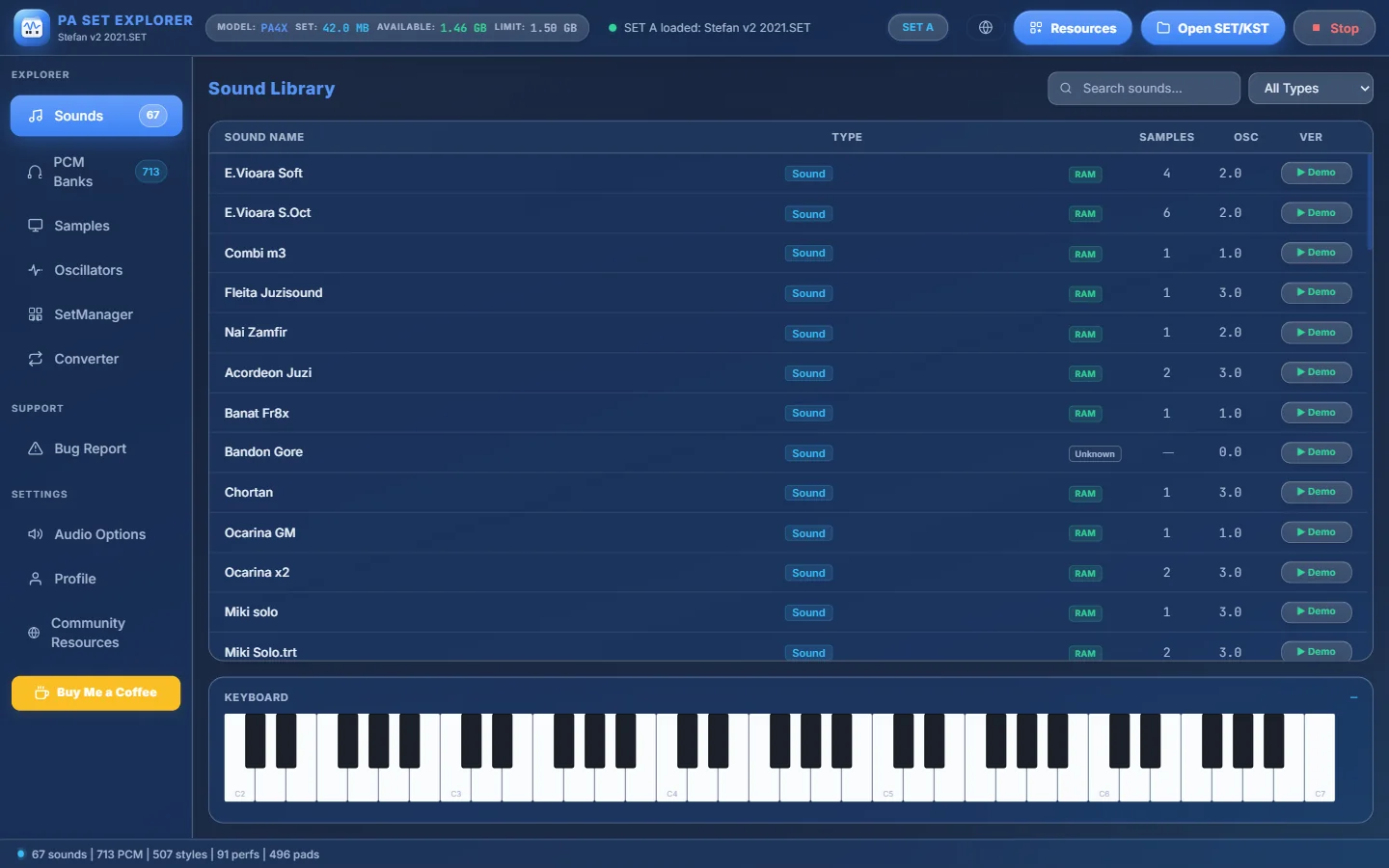
- 1Program name and, under it, the name of the SET you have open.
- 2Memory bar — the keyboard model, how much sample memory the SET uses, how much is still free and the limit. It turns orange above 70% and red above 90%.
- 3Status — “Ready”, “Loading…” or the name of the SET that was loaded.
- 4SET A / SET B view — when two SETs are open in SetManager, choose which one the Sounds, PCM, Samples and Oscillators sections show.
- 5Language of the menus.
- 6Resources — your library of SETs, KSTs, AKX sets and styles, plus your Community downloads.
- 7Open SET/KST — open a KORG SET or PA5X KST folder. This is where you start.
- 8Stop — silences every sound that is playing.
- 9Sidebar — the sections of the program. Click one to switch.
- 10Main area — the content of the section you chose (here: the Sound Library).
- 11Keyboard — click the keys to play the selected sound.
- 12Status bar — a summary of the SET: sounds, PCM samples, styles, performances and pads.
The sidebar sections#
| Section | What it is for |
|---|---|
| Sounds | The Sound Library: every sound and drum kit of the SET. Listen, inspect, export, delete. Read more |
| PCM Banks | Every sample stored in the SET’s RAM banks: play, export WAV, compress, find duplicates. Read more |
| Samples | The samples used by the sound you selected. Read more |
| Oscillators | How the selected sound is built: its oscillators and their settings. Read more |
| SetManager | The heart of the program: two SETs side by side, drag & drop, Import/Merge, Convert, Medeli AKX. Read more |
| Converter | Convert one style between KORG, PA5X, Yamaha, Medeli, Ketron and MIDI. Read more |
| Style Database | The latest styles in the PA SET Explorer Style Database (shown when available). Read more |
| Bug Report | Tell us about a problem in a few clicks. Read more |
| Audio Options | Theme, audio output, MIDI input, engine, mixer, EQ and compressor. Read more |
| Profile | Your account and license. Read more |
| Community Resources | Opens the Community page of the website in your browser. |
- The numbers next to Sounds and PCM Banks in the sidebar tell you how many sounds and samples the open SET has.
- If something keeps playing, press Stop at the top right.
- Hover any button for a second: most of them show a small explanation (tooltip).
Basic, Premium and Trial#
PA SET Explorer has two plans. Basic lets you explore, listen and do the everyday work. Premium unlocks the advanced tools — for example Import/Merge, Convert (whole SETs), Check Unused, exporting sounds and the Event Editor. A Trial gives you Premium for a few days.
Your current plan is shown in Profile inside the program.