Settings, Profile & more
Audio Options (theme, output device, MIDI and Bluetooth input, engine, mixer, EQ, compressor), your Profile and license, Bug Report, the Style Database, Community Resources and the language.
- Choosing the theme and the audio output
- Fixing crackles with the engine settings
- Connecting a MIDI or Bluetooth MIDI keyboard
- Your license in Profile, and Change License
- Reporting a bug
Audio Options#
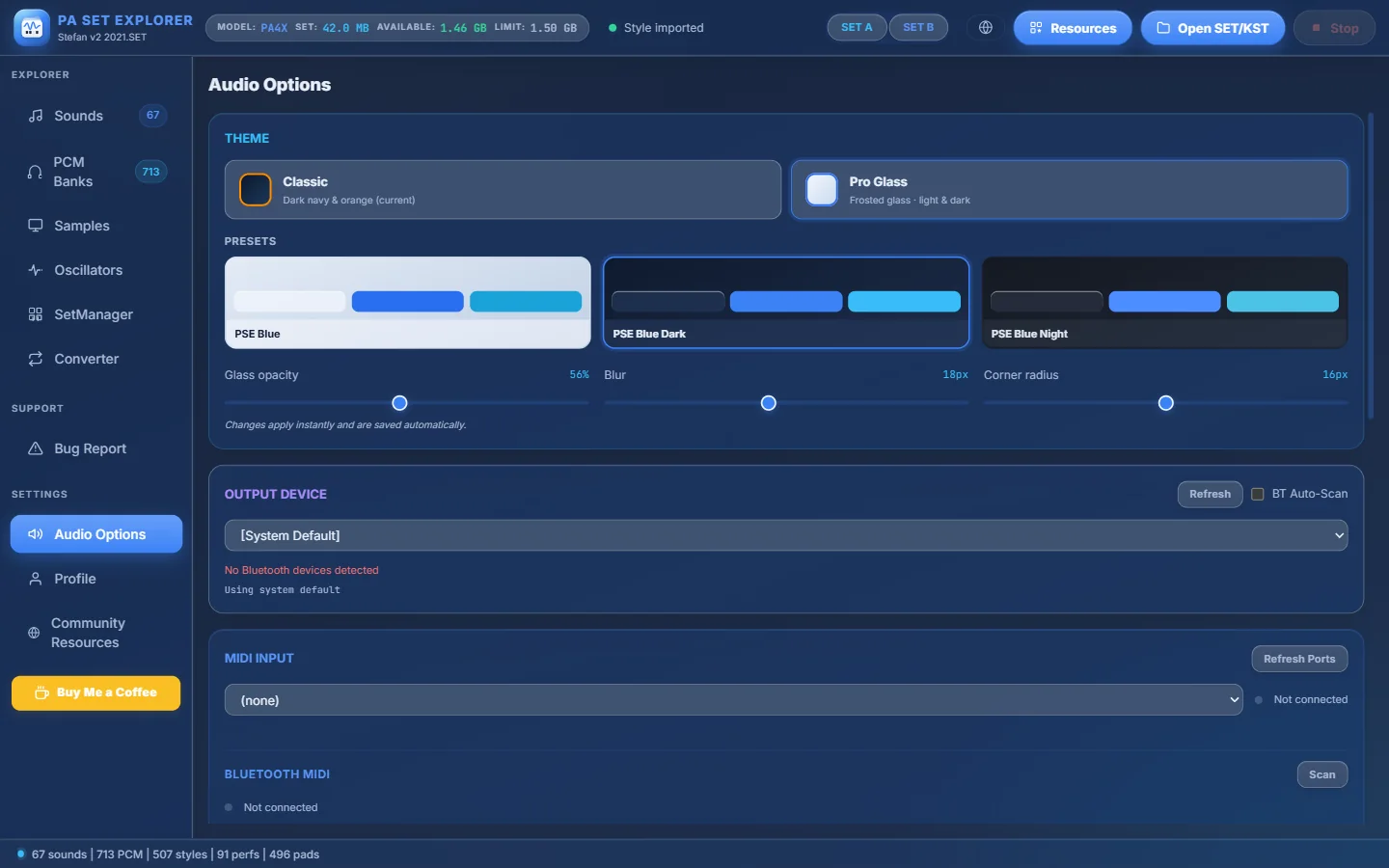
- 1Theme: Classic (dark navy & orange) or Pro Glass (frosted glass).
- 2Pro Glass presets: PSE Blue, PSE Blue Dark, PSE Blue Night.
- 3Glass opacity, Blur and Corner radius — applied instantly and saved.
- 4Output device — where the sound goes ([System Default] or a device).
- 5Refresh the list · BT Auto-Scan for Bluetooth audio devices.
- 6MIDI input — choose a MIDI keyboard to play the sounds.
- 7Bluetooth MIDI — Scan for a Bluetooth MIDI keyboard (e.g. Medeli AKX10S) and reconnect automatically next time.
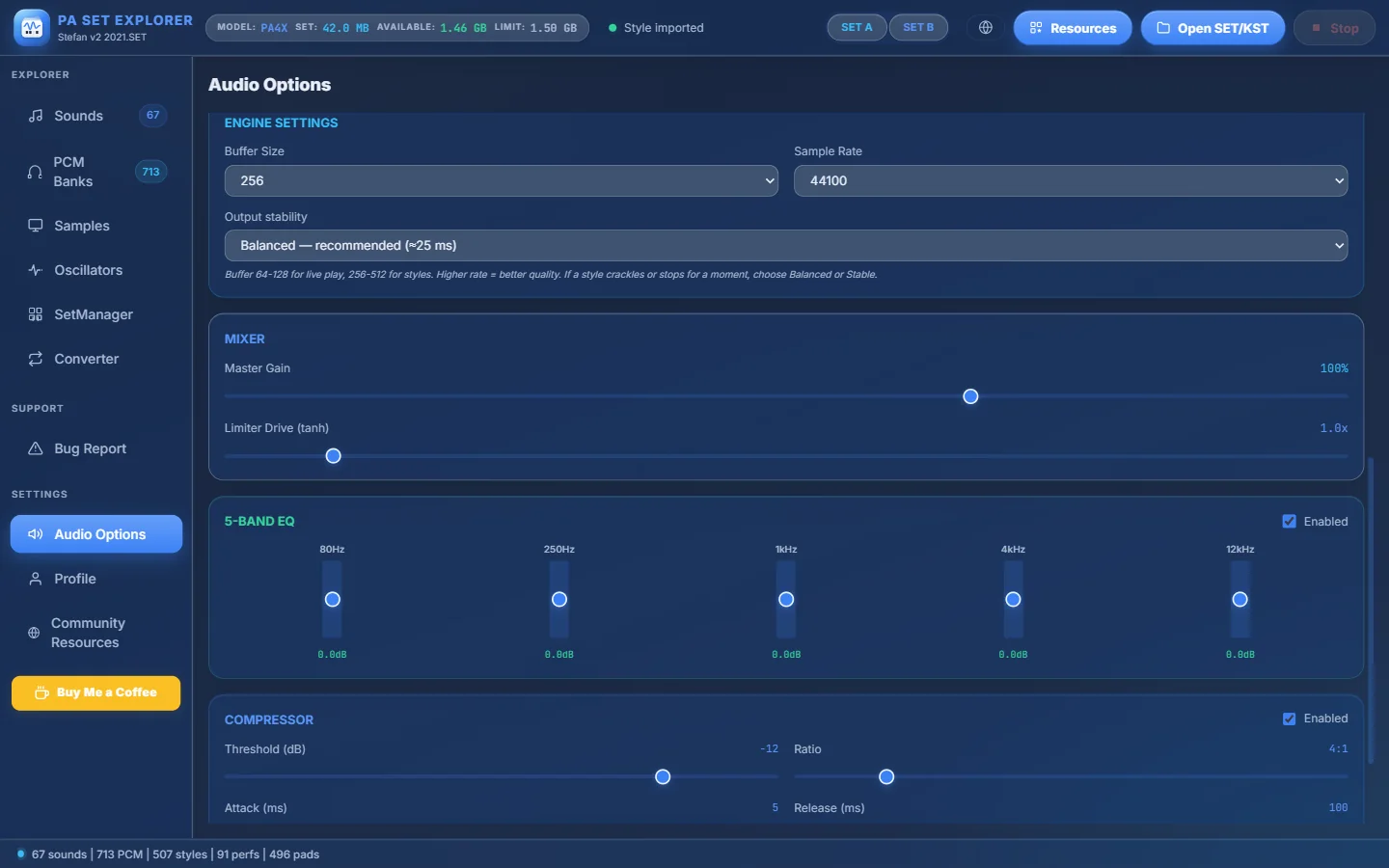
- 1Engine settings: Buffer Size (64–1024, default 256), Sample Rate (22050–96000) and Output stability (Lowest latency / Balanced / Stable).
- 2Mixer: Master Gain (0–150%) and Limiter Drive.
- 35-band EQ: 80 Hz, 250 Hz, 1 kHz, 4 kHz and 12 kHz, ±12 dB each.
- 4Compressor: Threshold, Ratio, Attack and Release.
Profile and license#
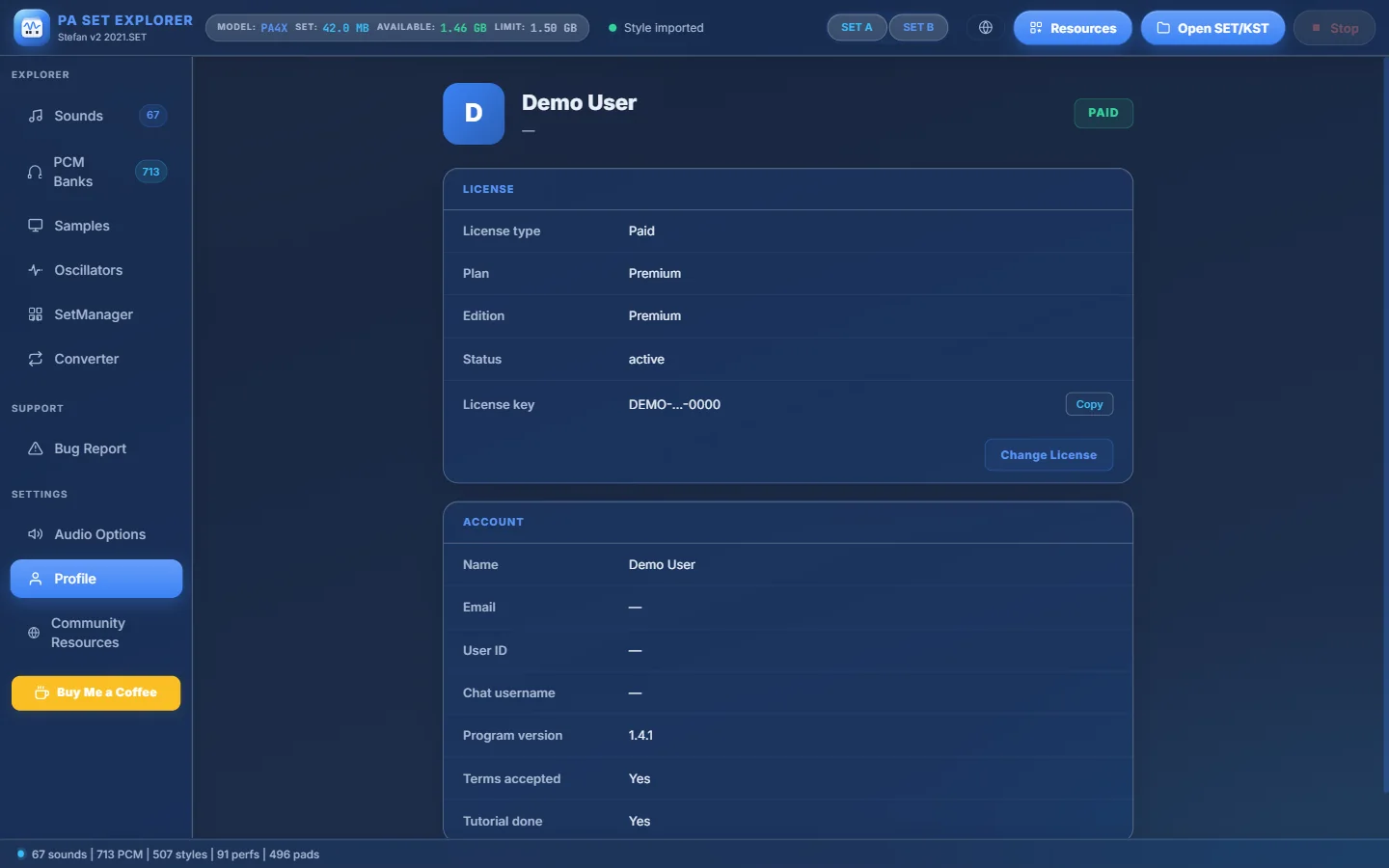
- 1FREE or PAID.
- 2Your plan: Basic, Premium or Trial — N days left.
- 3Your license key (masked) with Copy.
- 4Change License — replace the license of this computer with another key. The current one stays active until the new one is verified.
- 5Account details and the program version.
You can upgrade from Basic to Premium on the Plans page and then use Change License if you received a new key.
Bug Report#
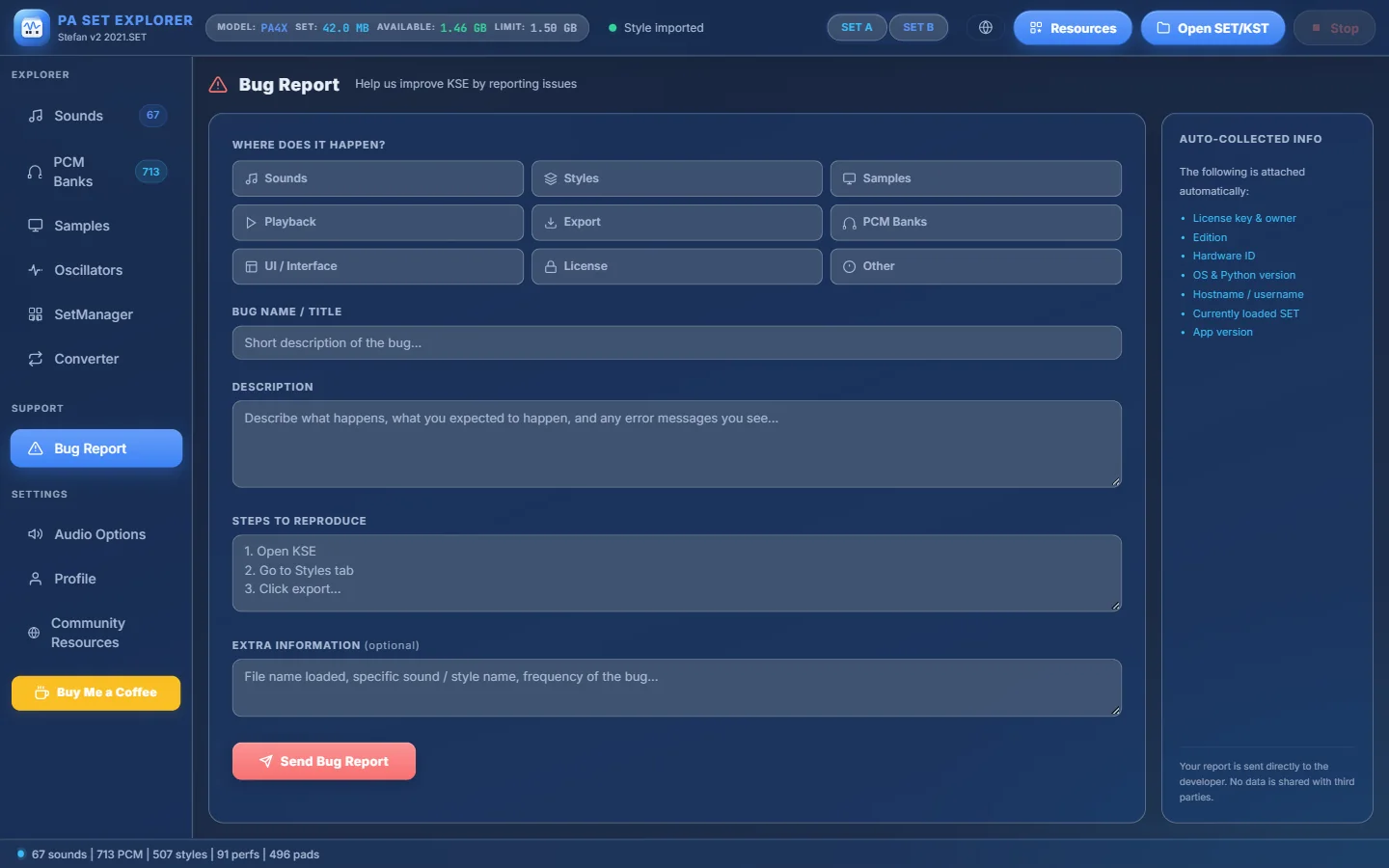
- 1Where does it happen? — Sounds, Styles, Samples, Playback, Export, PCM Banks, UI, License or Other.
- 2A short title.
- 3What happens and what you expected.
- 4The steps to make it happen again.
- 5Send Bug Report.
- 6Information attached automatically (license, edition, hardware ID, OS, loaded SET, version).
Style Database#
When available, the Style Database item in the sidebar shows the latest styles in the PA SET Explorer Style Database: filter by country, search by name, double-click to listen in the Style Player and Save to keep a style in your Community Resources.
Community Resources#
Community Resources in the sidebar opens the Community page of the website. There you browse styles, samples and drum kits shared by other musicians and get them straight into the program, converted for your instrument. Downloads appear in Resources → Community. Use Push to Community on a style or a sound to share your own.
Language#
Click the globe button in the header to choose the language of the menus. The choice is saved and you can change it at any time.